Vat-ID Checker
General Information
The analyses of the VAT-ID Checker are used to check the VAT-ID of your customer (CU_VAT_ID_Check) or vendors (VE_VAT_ID_Check). This article describes how to set up the VAT-ID Checker in dab AnalyticSuite and how to run the analyses.
License Check
- Open your browser and connect to the dab AnalyticSuite interface: http://localhost:5000: You can find more information about the login and the login-data in this article
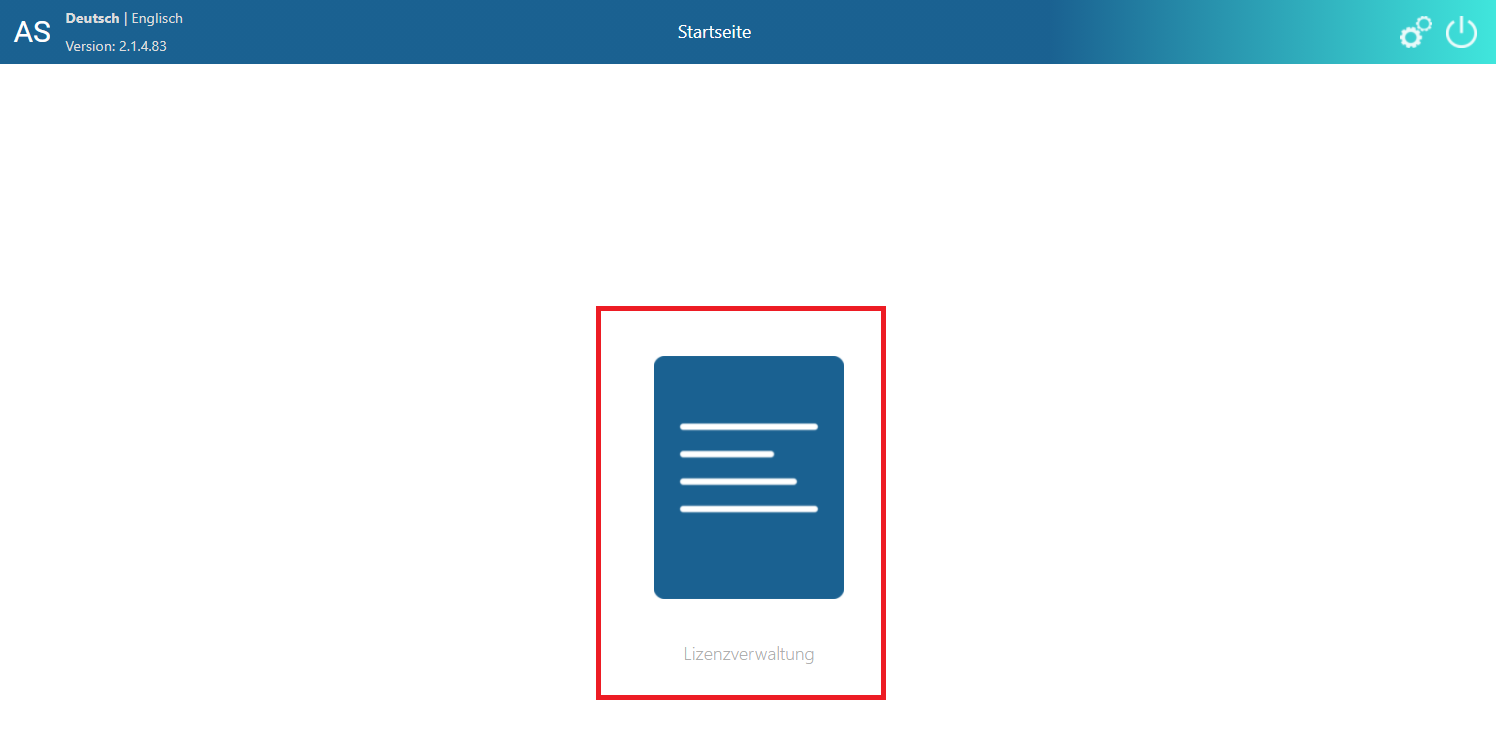
- After you have successfully logged in, select license management
- In the License Overview, in the Licensed DLLs section, the following entry must exist with an expiration date in the future:
| DLL | Description |
|---|---|
| VAT0000001 | VAT-ID Checker |
- in the Licensed AnalyticSteps section, you will need the following entries, also with an expiration date in the future:
| ID | Name | Description |
|---|---|---|
| AS00000294 | CU_VAT_ID_Check | Check the customer VAT-ID |
| AS00000295 | VE_VAT_ID_Check | Check the vendor VAT-ID |
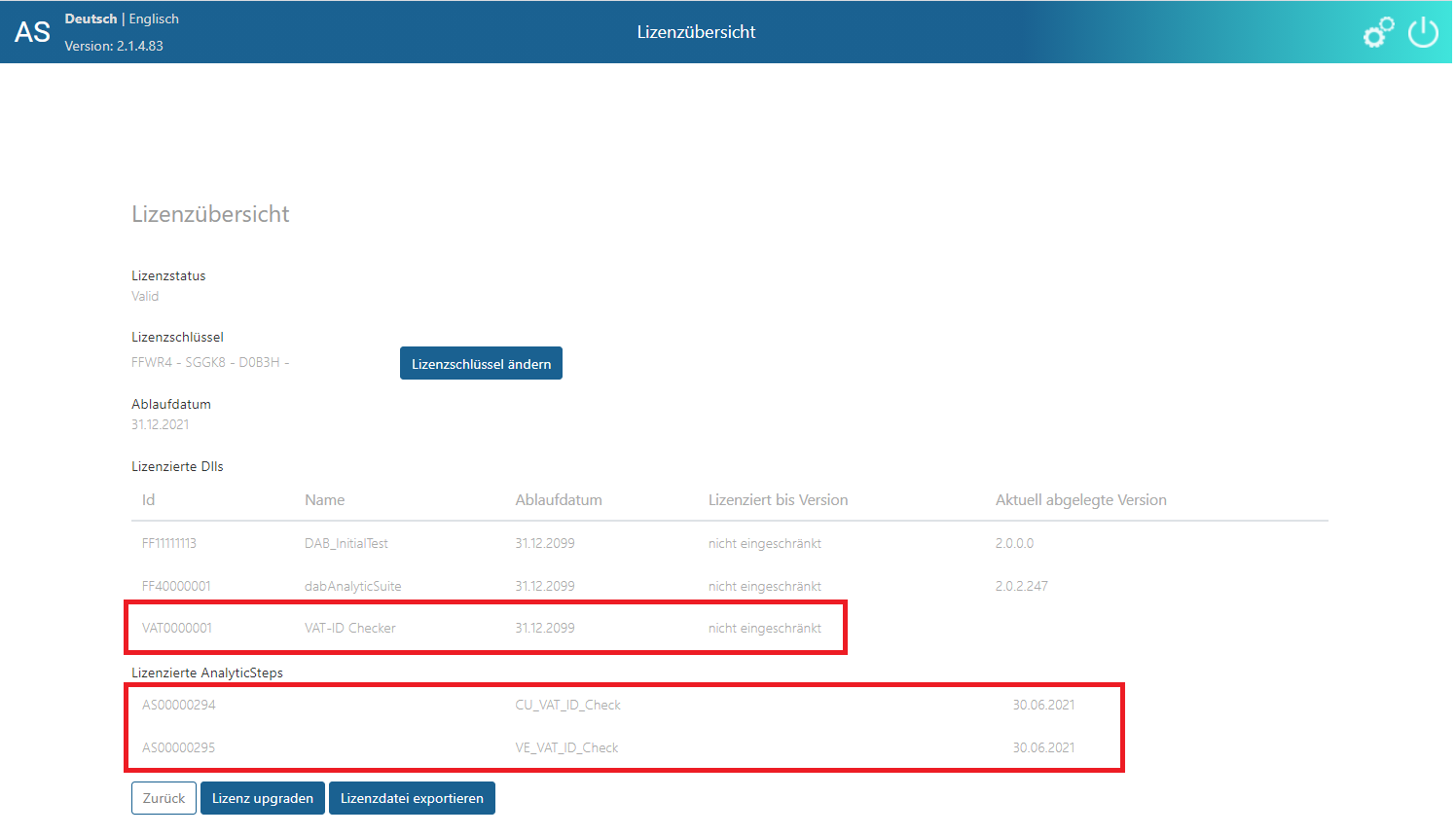
If these entries are not available or the expiration date has already been reached, please connect your consultant
ACL-Environment Setup
The VAT-ID Checker runs only on ACL Unicode Installations
The EXECUTE-Command must be allowed in the ACL Environment. For this, please refer to the following links to the respective instructions:
Make adjustments the dab AnalyticSuite_StartScript > Analytic_Suite.acl. For this please open the script file _TF_CustomerSpecific and adapt it customer specific.
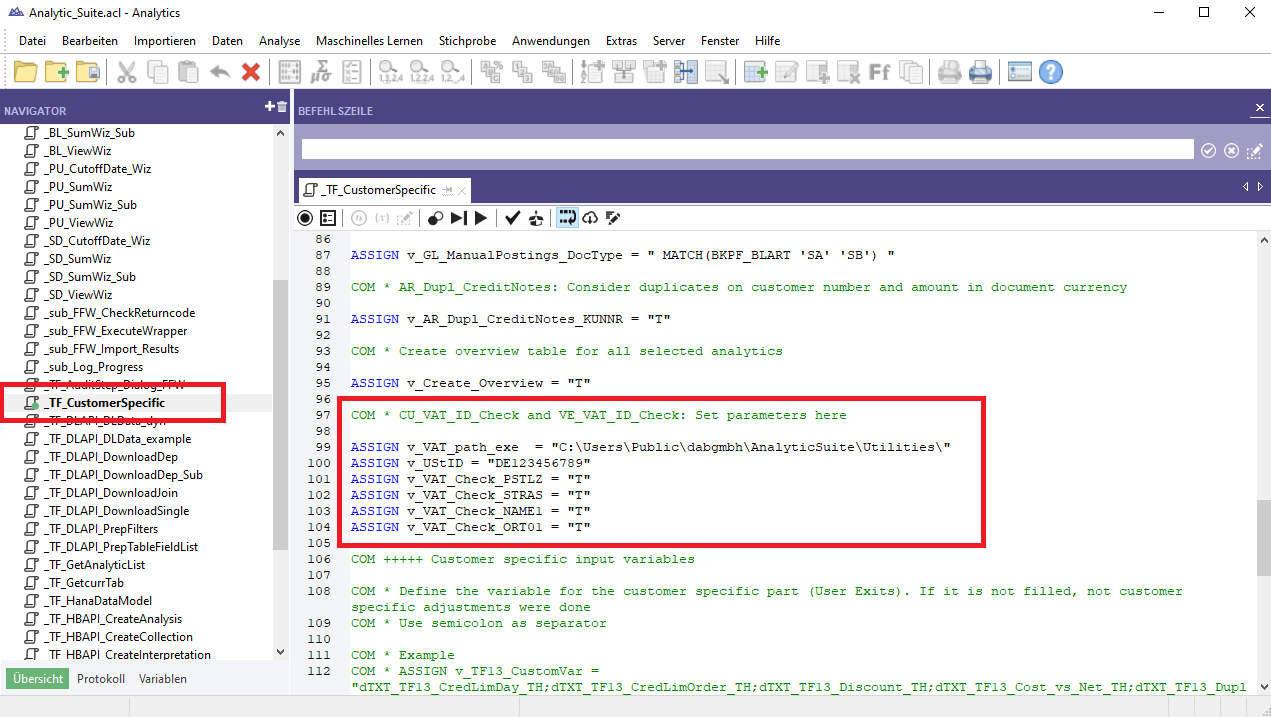
| Variable | Description |
|---|---|
| v_VAT_path_exe | In this path where the dabUSTChecker.exe is stored and executed. Here you can also find the log files for the executions. Default: C:\Users\Public\dabgmbh\AnalyticSuite\Utilities\ |
| v_UStID | Here you enter your own VAT ID, which is required for the queries to the services |
| v_VAT_Check_PSTLZ | Determindes whether the postal code is taken into account during the check -> T = Yes; F = No Default: T |
| v_VAT_Check_STRAS | Determindes whether the street is taken into account during the check -> T = Yes; F = No Default: T |
| v_VAT_Check_NAME1 | Determindes whether the name is taken into account during the check -> T = Yes; F = No Default: T |
| v_VAT_Check_ORT01 | Determindes whether the city is taken into account during the check -> T = Yes; F = No Default: T |
Network
For the execution of the VAT-ID Checker it is mandatory that the following URLs (Internet addresses) are accessible from your network. These websites are free services for retrieving VAT information of the German Federal Central Tax Office and the European Commission: