Vat-ID Checker
Allgemeine Informationen
Die Analysen des VAT-ID Checker dienen der Überprüfung der Umsatzsteuer-Identifikationsnummer (USt-IdNr.) Ihrer Kunden (CU_VAT_ID_Check) bzw. Ihrer Lieferanten (VE_VAT_ID_Check). In diesem Artikel wird erläutert, wie Sie den VAT-ID Checker in dab AnalyticSuite einrichten und die Analysen ausführen.
Lizenzprüfung
- Öffnen Sie Ihren Browser und verbinden Sie sich mit der dab AnalyticSuite-Oberfläche: http://localhost:5000. Weitere Informationen zu Anmeldung und Zugangsdaten finden Sie in diesem Artikel
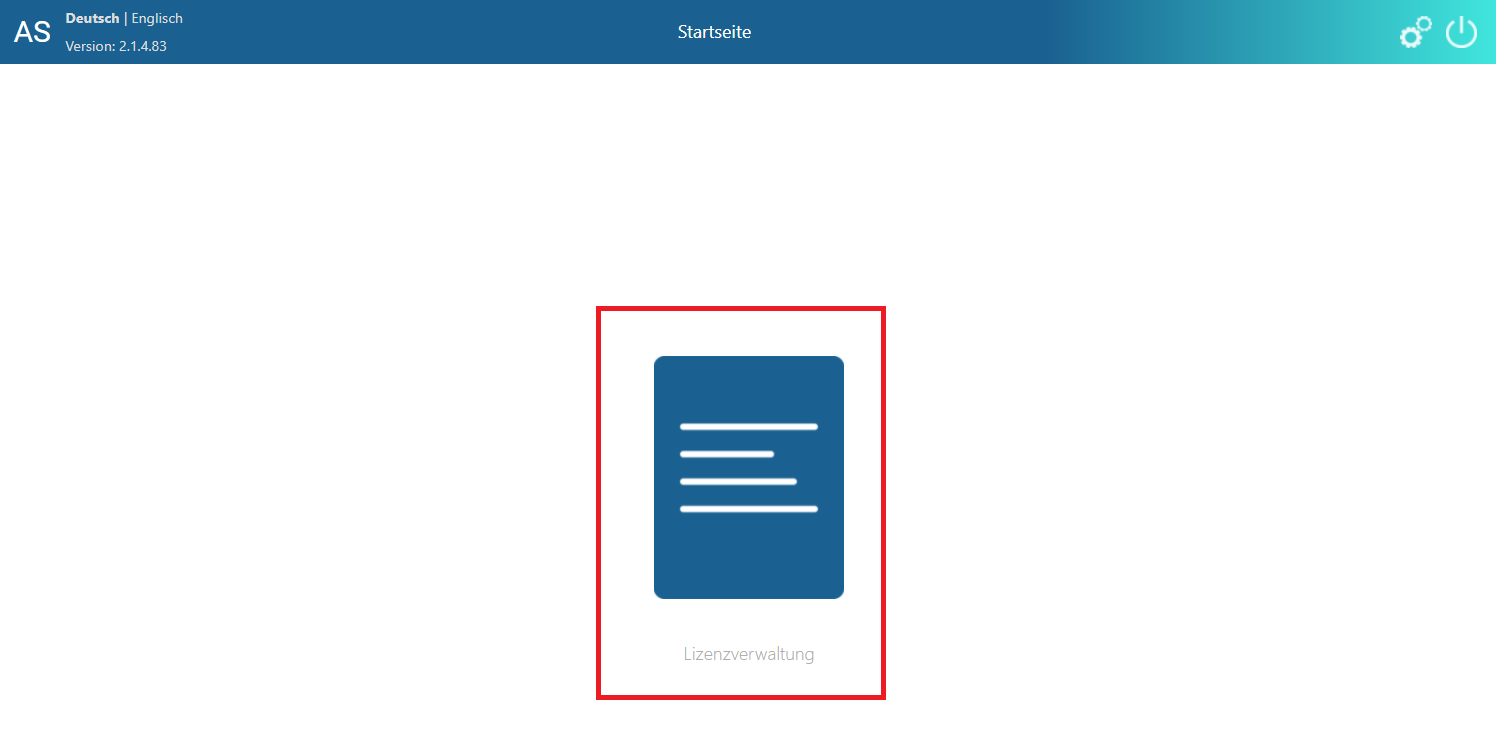
- Nach erfolgreicher Anmeldung wählen Sie Lizenzmanagement
- In der Lizenzübersicht muss im Bereich „Lizenzierte DLLs“ folgender Eintrag mit einem zukünftigen Ablaufdatum vorhanden sein:
| DLL | Beschreibung |
|---|---|
| VAT0000001 | VAT-ID Checker |
- Im Bereich „Lizenzierte AnalyticSteps“ benötigen Sie ebenfalls folgende Einträge mit einem zukünftigen Ablaufdatum:
| ID | Name | Beschreibung |
|---|---|---|
| AS00000294 | CU_VAT_ID_Check | Überprüfung der Kunden-USt-IdNr. |
| AS00000295 | VE_VAT_ID_Check | Überprüfung der Lieferanten-USt-IdNr. |
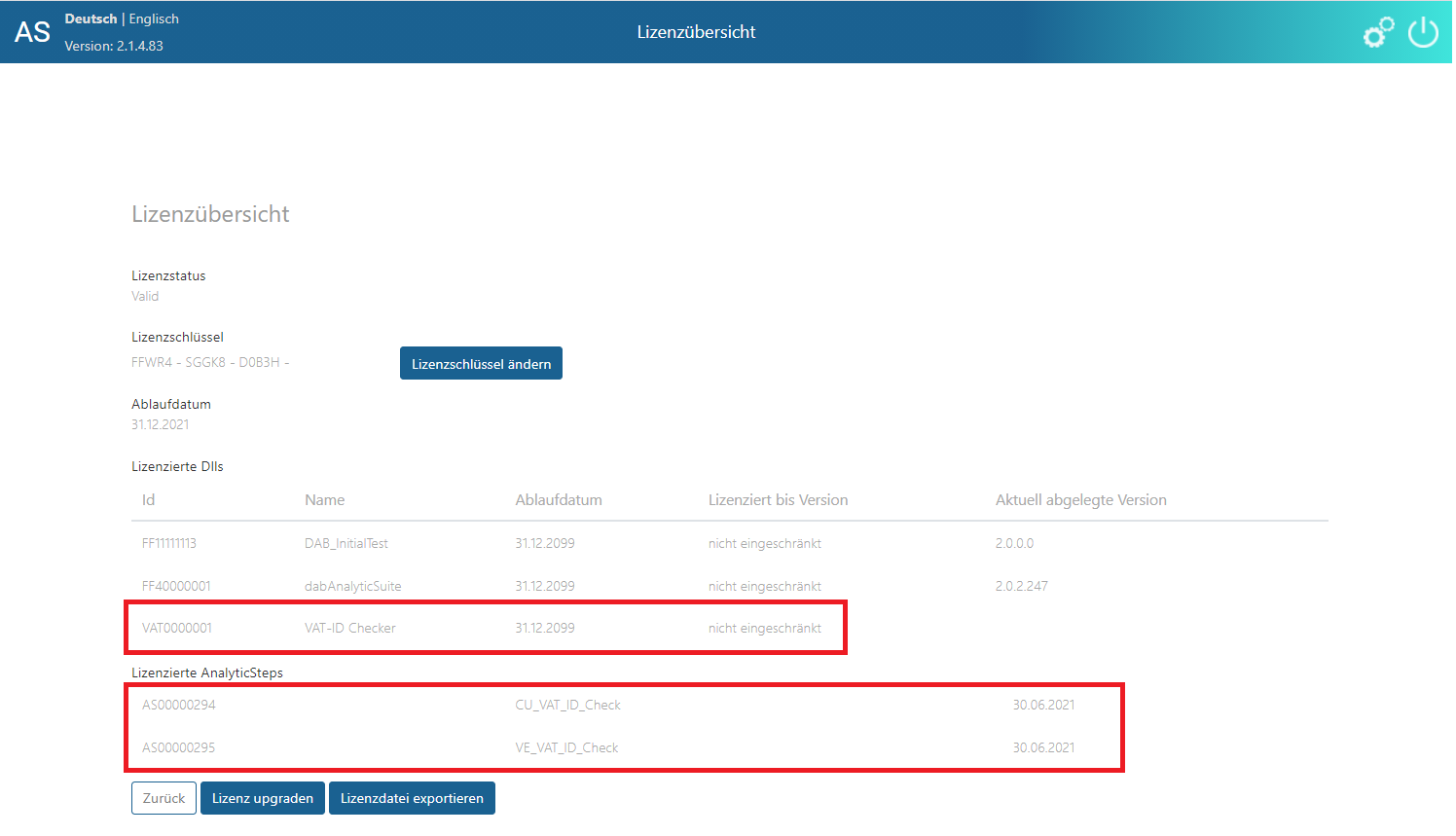
Sollten diese Einträge nicht vorhanden sein oder ist das Ablaufdatum bereits überschritten, kontaktieren Sie bitte Ihren Berater.
ACL-Umgebungseinrichtung
Der VAT-ID Checker kann nur auf ACL Unicode-Installationen ausgeführt werden.
Der EXECUTE-Befehl muss in der ACL-Umgebung zugelassen sein. Weitere Informationen hierzu finden Sie in den folgenden Anleitungen:
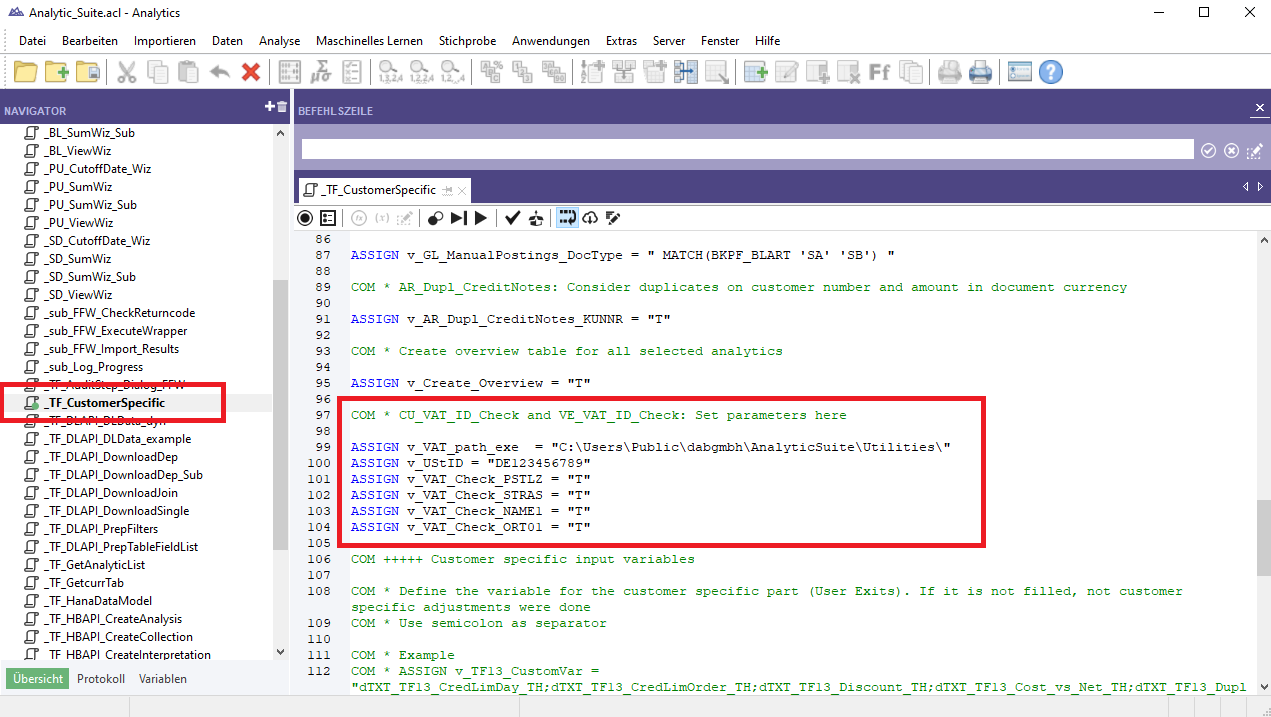
Nehmen Sie Anpassungen im dab AnalyticSuite_StartScript > Analytic_Suite.ACL vor. Öffnen Sie hierzu die Skriptdatei _TF_CustomerSpecific und passen Sie sie kundenspezifisch an.
| Variable | Beschreibung |
|---|---|
| v_VAT_path_exe | Pfad, in dem die dabUSTChecker.exe gespeichert ist und ausgeführt wird. Dort befinden sich auch die Protokolldateien der Ausführungen. Standard: C:\Users\Public\dabgmbh\AnalyticSuite\Utilities\ |
| v_UStID | Hier tragen Sie Ihre eigene USt-IdNr. ein, die für die Abfragen bei den Diensten benötigt wird |
| v_VAT_Check_PSTLZ | Legt fest, ob die Postleitzahl bei der Prüfung berücksichtigt wird -> T = Ja; F = Nein Standard: T |
| v_VAT_Check_STRAS | Legt fest, ob die Straße bei der Prüfung berücksichtigt wird -> T = Ja; F = Nein Standard: T |
| v_VAT_Check_NAME1 | Legt fest, ob der Name bei der Prüfung berücksichtigt wird -> T = Ja; F = Nein Standard: T |
| v_VAT_Check_ORT01 | Legt fest, ob der Ort bei der Prüfung berücksichtigt wird -> T = Ja; F = Nein Standard: T |
Netzwerk
Für die Ausführung des VAT-ID Checker ist es zwingend erforderlich, dass die folgenden URLs (Internetadressen) aus Ihrem Netzwerk erreichbar sind. Diese Websites sind kostenfreie Dienste zum Abruf von USt-Informationen des Bundeszentralamts für Steuern sowie der Europäischen Kommission: