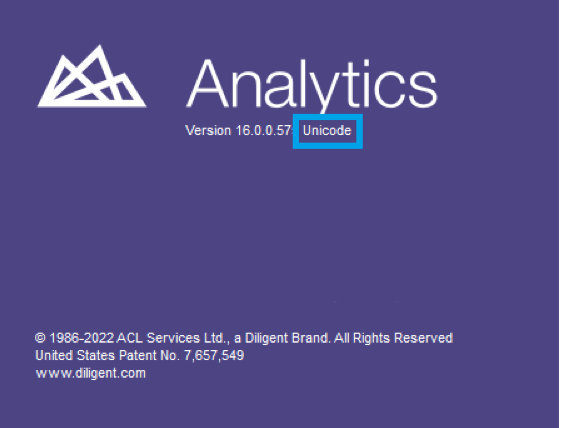
ACL Analytics Einstellungen
Zunächst rufen Sie den dab AnalyticSuite Configurator Artikel zur Installation der R-Umgebung auf.
Im Menüpunkt ACL Einstellungen können Sie die folgenden vier Optionen festlegen:
- Pfad zu den Dateien ACLScript.exe oder ACLWin.exe eingeben: a. Analytics: C:\Program Files (x86)\ACL Software\ACL for Windows 14\ACLWin.exe b. Robotics: C:\Program Files (x86)\ACL Software\Robots Agent\ACLscript.exe
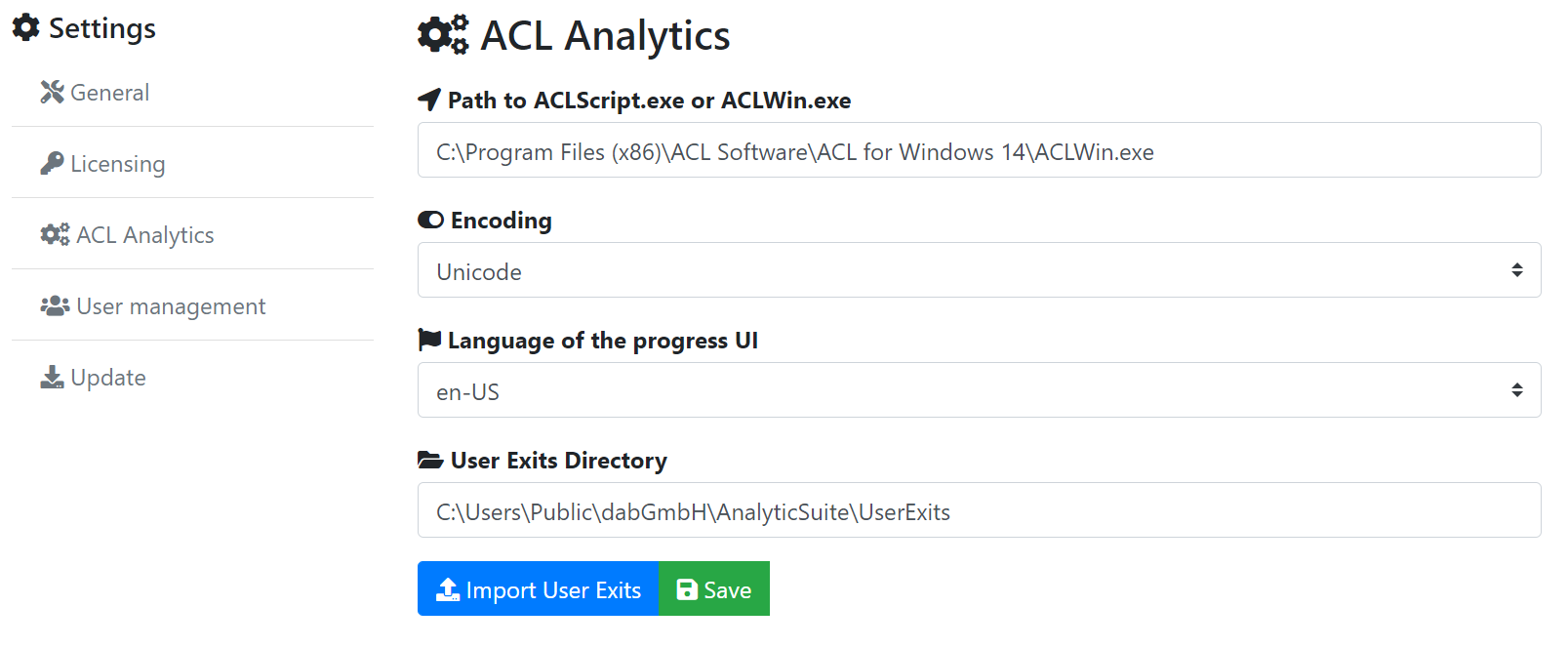
- Encoding: Wählen Sie hier Unicode aus, wenn Sie ACL Unicode verwenden. Andernfalls wählen Sie die Option ASCII.
- Sprache: Wählen Sie hier Ihre bevorzugte Sprache für das Ausführungstool Ihrer Analysen -> Englisch oder Deutsch.
- Verzeichnis für User Exits: Hier definieren Sie das Verzeichnis, in dem die User Exits abgelegt werden müssen, die gegebenenfalls von unseren Beratern für Sie erstellt werden.
Klicken Sie auf Speichern, um Ihre Änderungen zu übernehmen.
Weitere Einstellungen werden nur lesend angezeigt. Wie Sie diese Einstellungen ändern können, finden Sie auf den folgenden Seiten dieses Handbuchs.
Hinweis
Beim Öffnen eines Analytics-Projekts oder über Hilfe > Info in der Menüleiste innerhalb von Analytics können Sie sehen, welche Version bzw. welches Encoding aktuell verwendet wird.