System Requirements
Operating System
| Operating System | Frameworks |
|---|---|
| Microsoft Windows 10 | .NET Framework 4.8 or newer |
| Microsoft Windows 11 | .NET Framework 4.8 or newer |
Firewall Settings
If your company has a firewall that restricts outgoing connections, the following settings are required to run dab Link:
| Firewall Settings | Value |
|---|---|
| FQDN (Full Qualified Domain Name) | portal.dab-europe.com |
| Protocol | HTTPS |
| Ports | 443 (HTTPS) 80 (HTTP to HTTPS Redirect) |
SAP System
A SAP GUI 800 with 64 bit for Windows is required on the system.
| SAP GUI for Windows | SAP Netweaver Release |
|---|---|
| up to Version 7.40 | up to current Version |
| from Version 7.50 | from Version 7.11 |
Script support must be activated for SAP Logon.
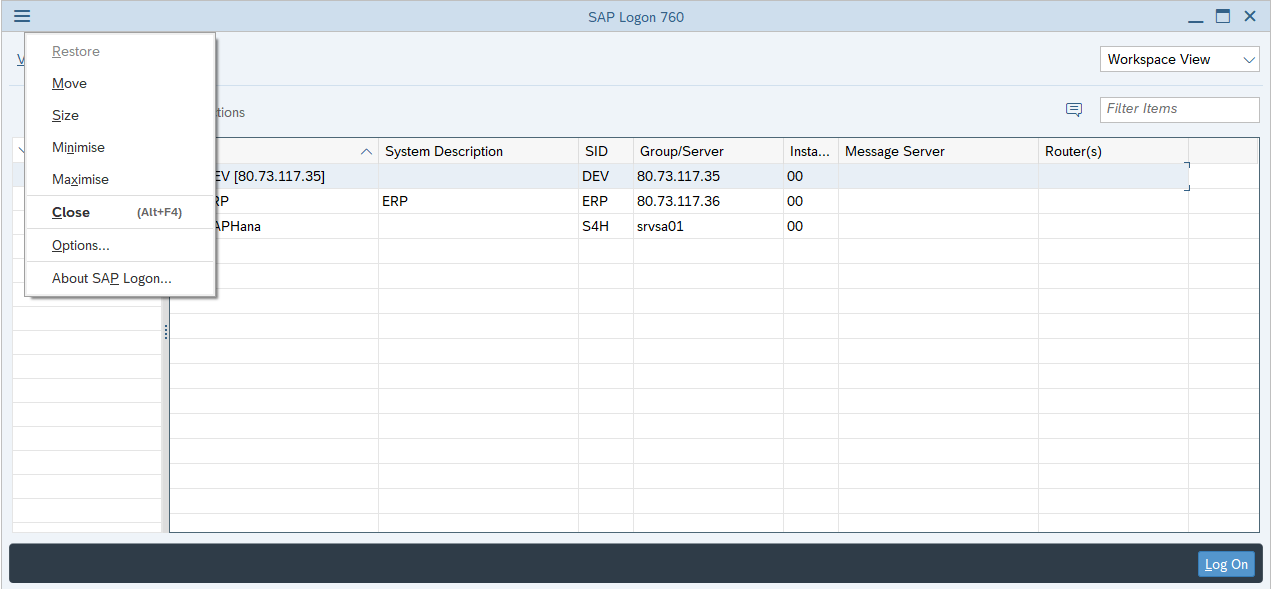
To do this, open the SAP Logon and click on the three parallel lines in the top left-hand corner. Then select the Options:
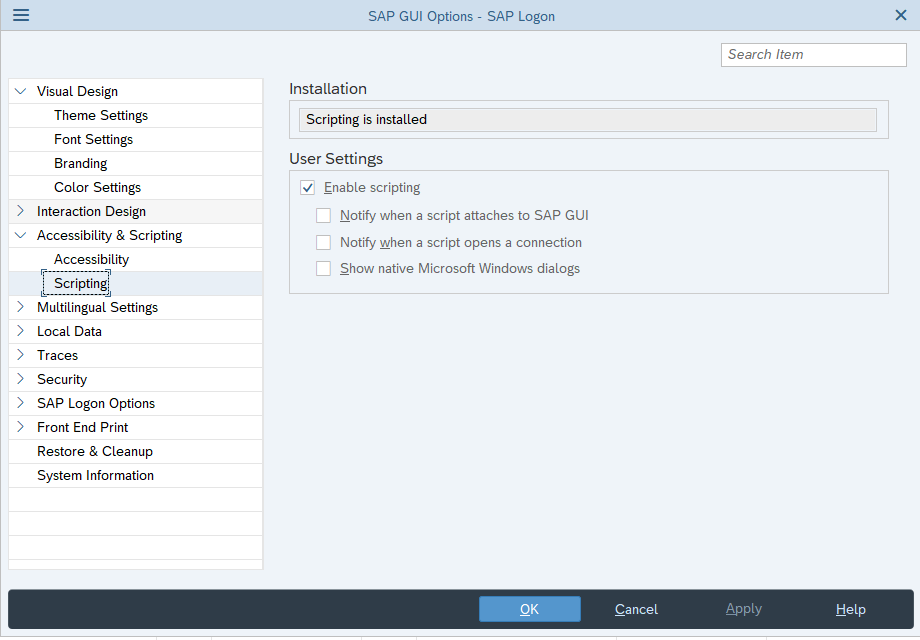
Now select Script support in the Accessibility & Scripting tab. Now you can see if the script support is installed. If it is installed, you can activate the script support.
If the scripting is enabled, please deactivate all checkboxes below.
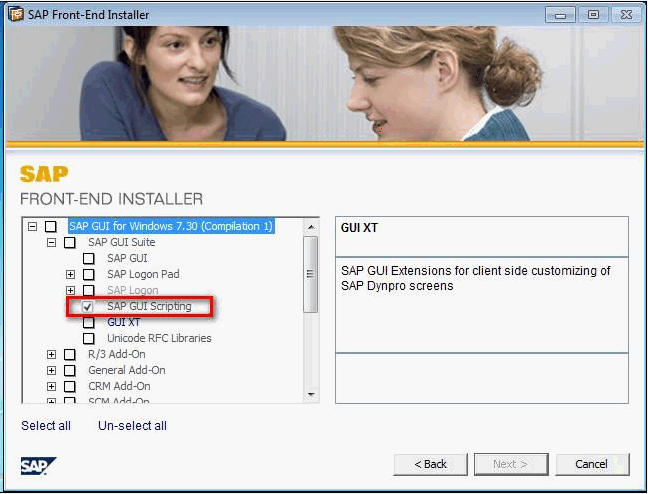
If script support is not installed, it is best to ask your administrator whether SAP GUI scripting can be installed using the SAP FRONT-END INSTALLER.
Authorizations for SAP-Users
Your SAP administrator must ensure that you have all the necessary authorisations.
Server-Side
-
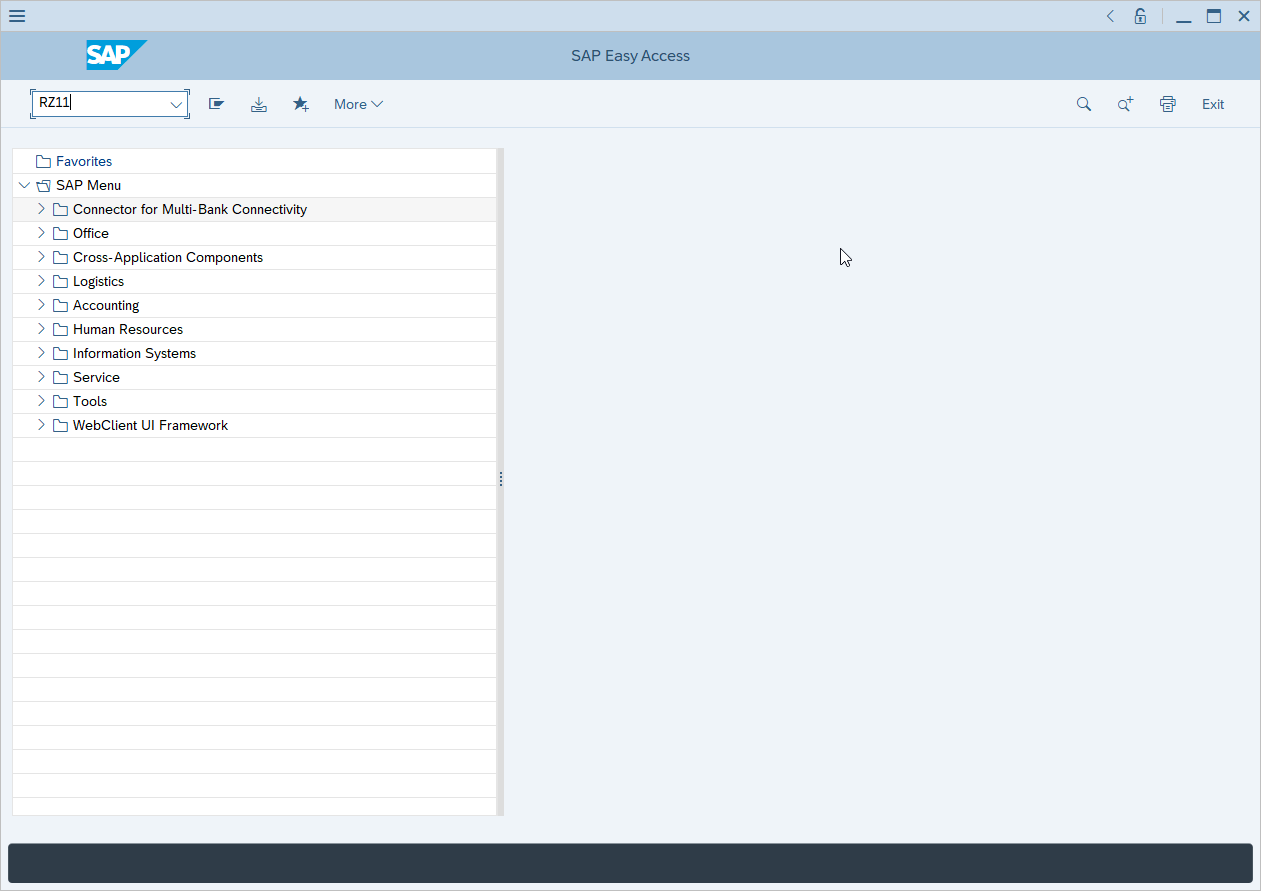
Open the transaction RZ11
-
Search for the parameter sapgui/user_scripting
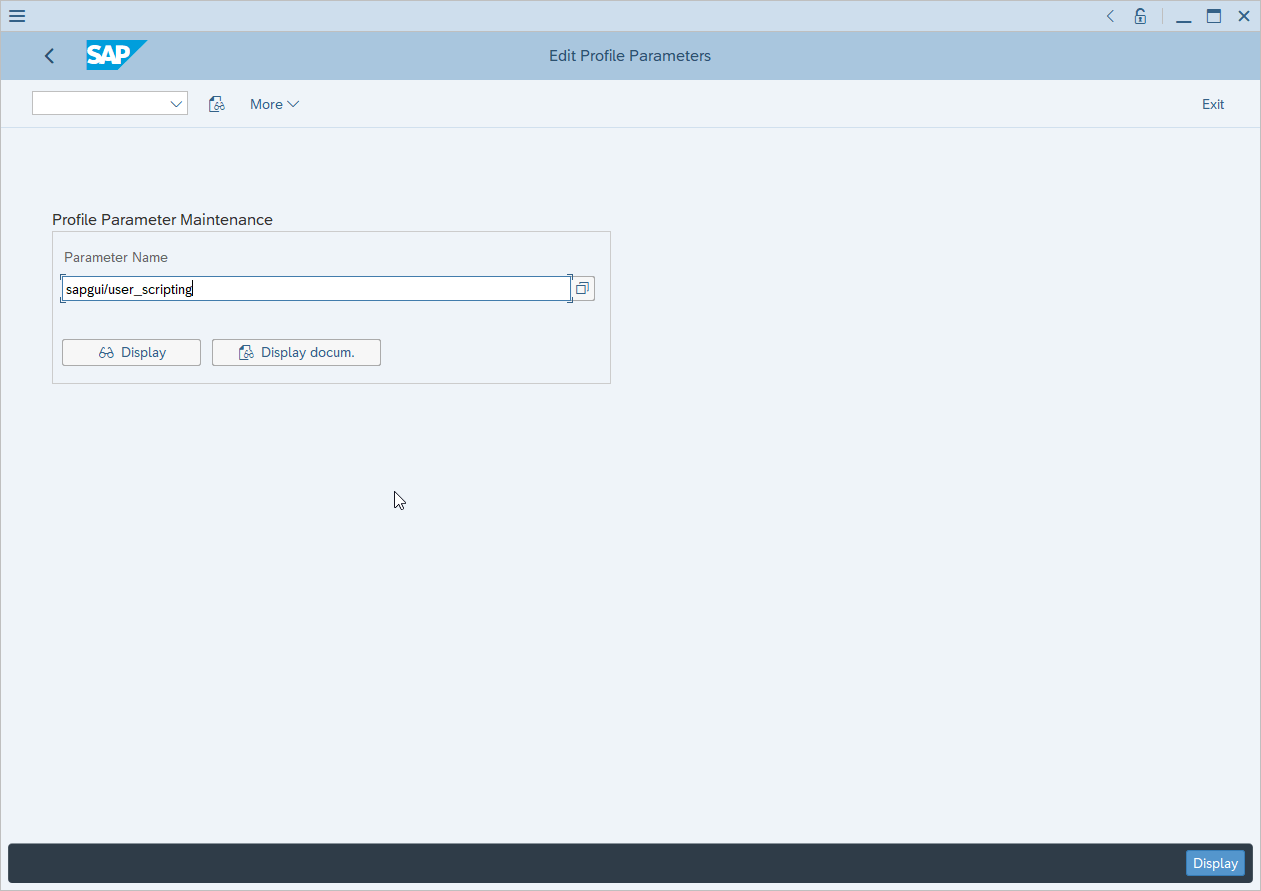
-
Make sure this value is TRUE
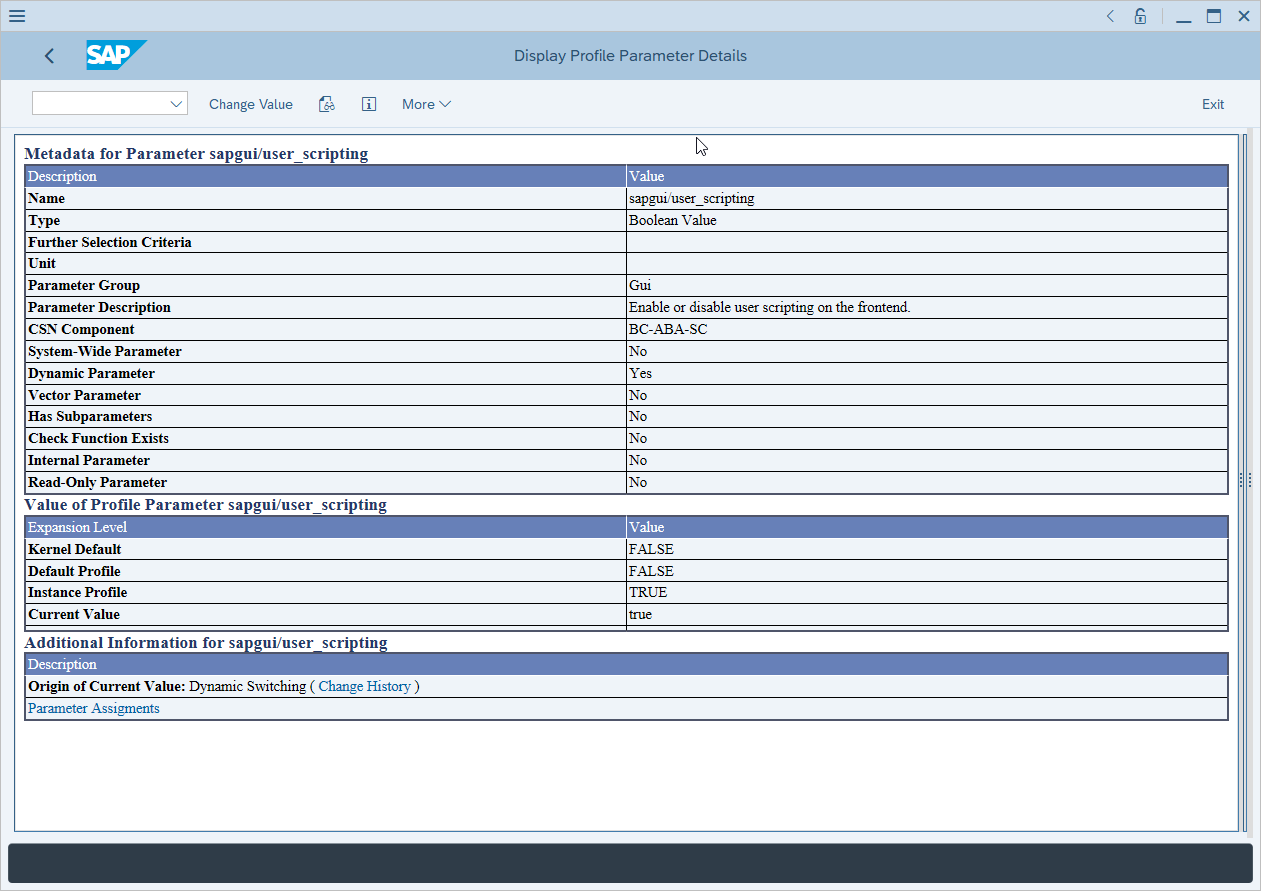
-
If necessary, change this value to TRUE
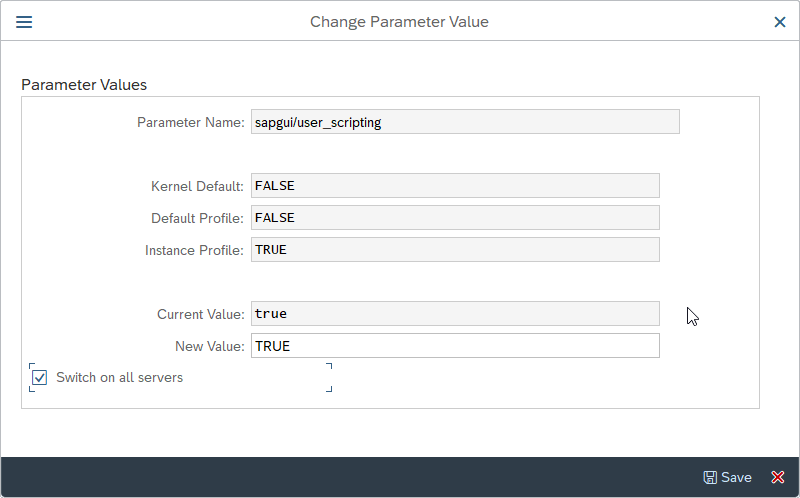
If you have more than one SAP instance and want to use dab Link on al instances, activate the checkbox Switch on all servers.
Also make sure that the following parameters are set to FALSE:
- sapgui/nwbc_scripting
- sapgui/user_scripting_disable_recording
- sapgui/user_scripting_force_notification
- sapgui/user_scripting_per_user
- sapgui/user_scripting_set_readonly
Authorisation rights
Authorisation rights need only be checked or set if the sapgui/user_scripting_per_user parameter is set to TRUE. SAP GUI Scripting is only available to users who have the authorisation S_SCR in the class BC_A.
Opening Links in the Browser
It must be ensured that the link https://dab.link/redirect.html can be called, otherwise the links cannot be opened.
Test this by clicking on the link https://dab.link/redirect.html. Now your browser should open and display the following:
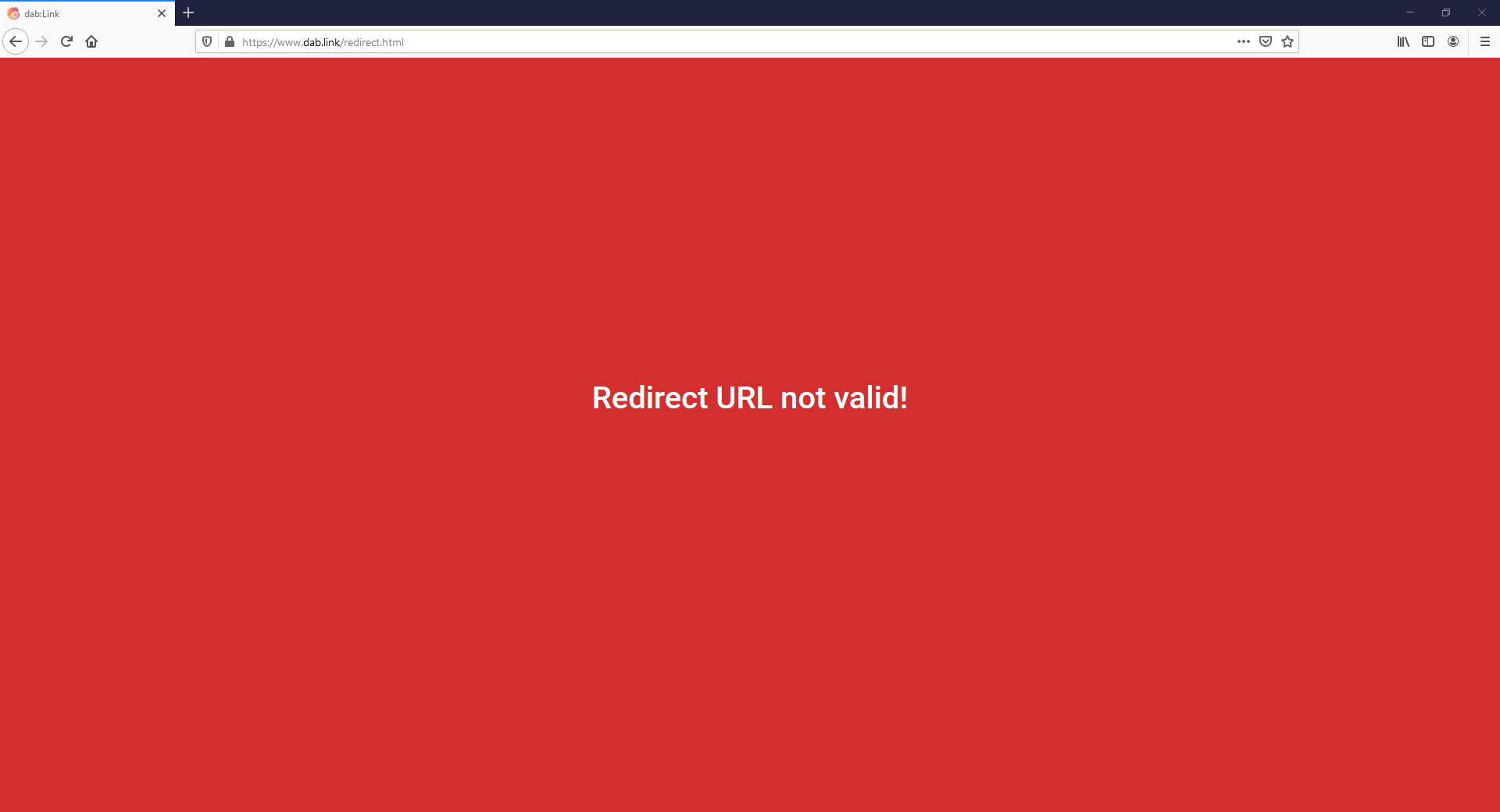
If the screen is red, the link is always accessible and is not blocked by a firewall. However, if a firewall window opens and the link cannot be opened, then you should add https://dab.link/redirect.html as an exception for your firewall, preferably together with IT.
Which languages are supported?
The following languages are supported by dab Link:
- English
- German
- Spanish
- French
- Italian
- Polish
- Czech