(Re)Start Windows Service dab Nexus
-
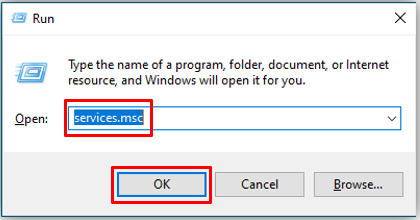
Press Windows + R on your keyboard and insert services.msc then click OK
-
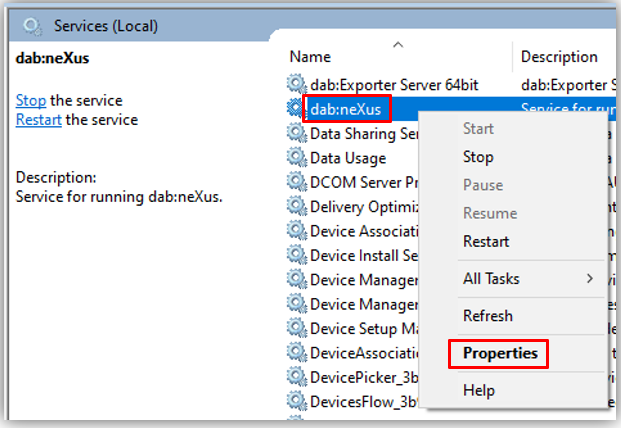
The Services will open, search for the dab Nexus Service

-
Right-click on the Service and select Restart. The Service will be restarted
Change User in Service
This step can be skipped when no Domain user is required for the Windows Service.
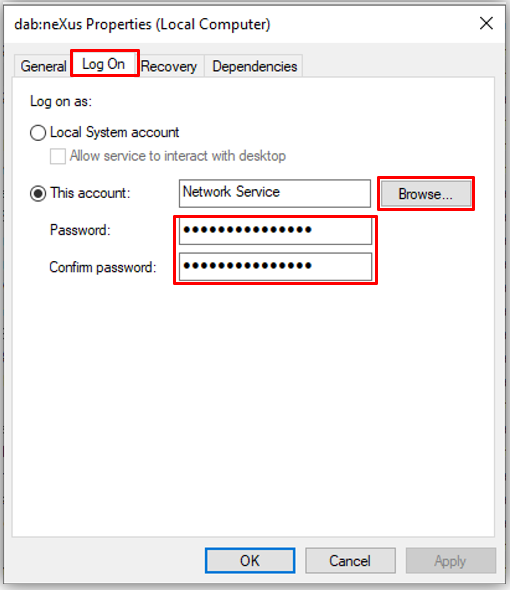
If you or the defined User changes the WindowsPassword, the Password must also be changed here in the dab Nexus Service.
-
On the server, where dab Nexus is installed, open the Services -> Press Windows + R on your keyboard and enter services.msc before clicking OK

-
Right-click on the dab Nexus Service and open the Properties
-
Go to the Log On tab, browse for the user and enter the Password twice, then click Apply and OK
-
After the user has been set up or the password has been updated, the dab Nexus Service must be restarted