Initial Setup dab Nexus On-Premise
License Activation
The first time you open dab Nexus in the browser, you will be asked whether the license should be activated online or offline.
To do an Online Activation, refer this article and for Offline Activation, refer this article.
User Setup
In the Settings tab in dab Nexus, you can create a user in the section Organisation > Users.
Click on the button + User at the top right:
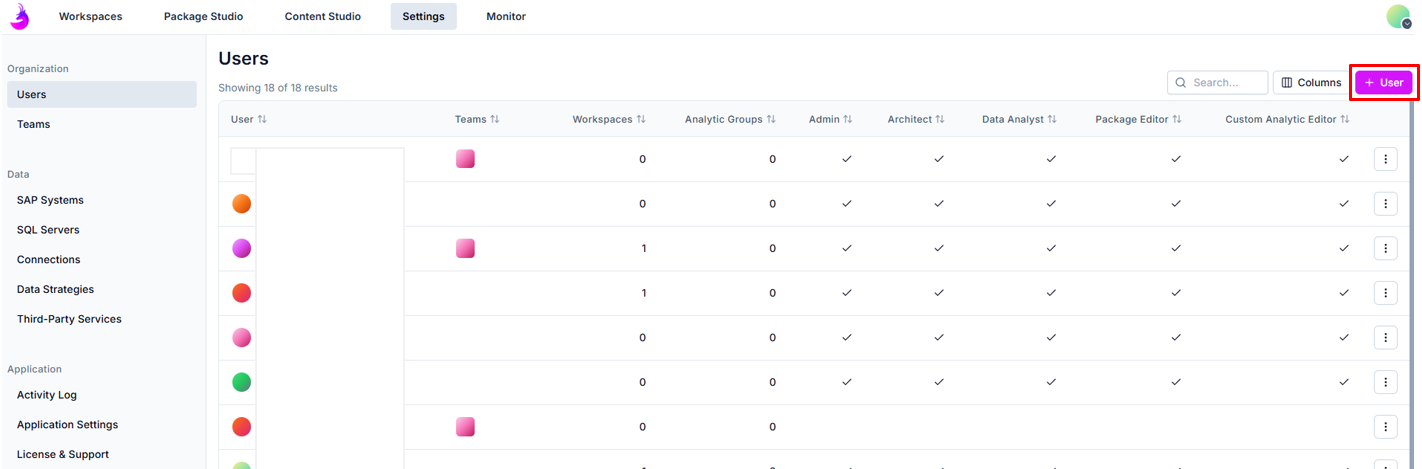
Then configure the new user as described below:
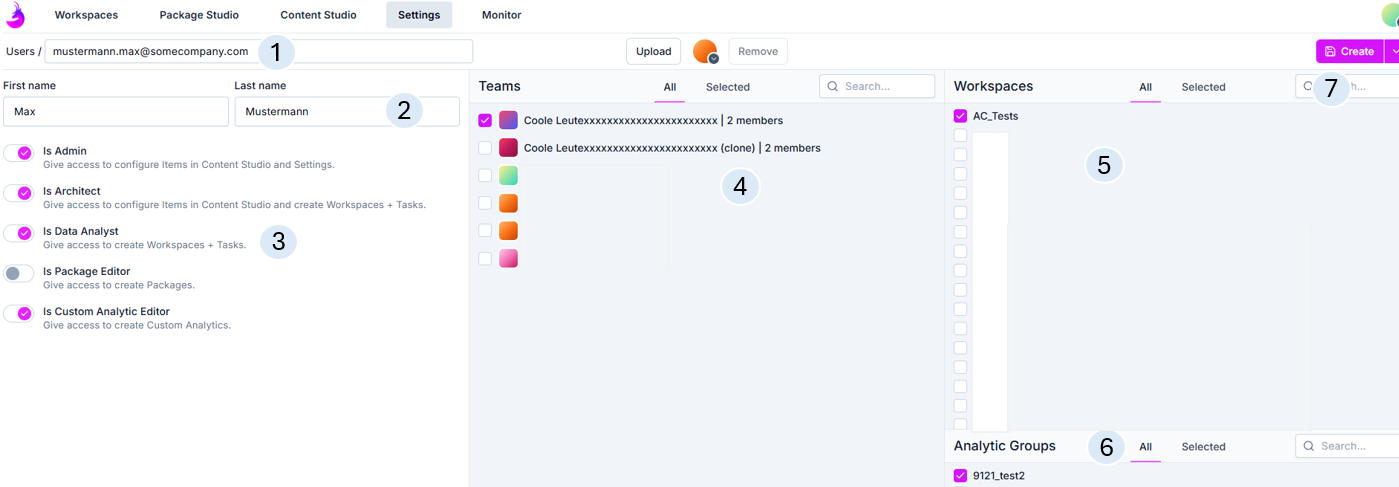
- Mail address
- First name and Last name
- Roles: Admin, Architect, Data Analyst, Package Editor und Custom Analytics Editor
- Optional - assign to an existing Team
- Optional - assign to an existing Workspace
- Optional - assign to an existing Analytic Group
- Create - the user is created and displayed in the overview (as shown in the previous screenshot)