Configuration for Report Extraction
This article outlines the essential configuration steps to enable dab Nexus to extract reports from your SAP-system.
SAP
- SAP Logon 800 or higher must be installed on the server on which dab Nexus is running.
- Using the Network Service Account is not supported! If you change the service account you need to contact delivery@dab-gmbh.de for an updated license.
- The SAP user used for the SAP Connection in dab Nexus must be a dialog user (User Type A).
- The Service User defined in the dab Nexus service must also be able to run the SAP GUI.
- Report Extraction doesn't work with dab Nexus deployed as Managed App!
Accessibility & Scripting
Please check the necessary configuration of SAP GUI scripting in this article.
Security configuration
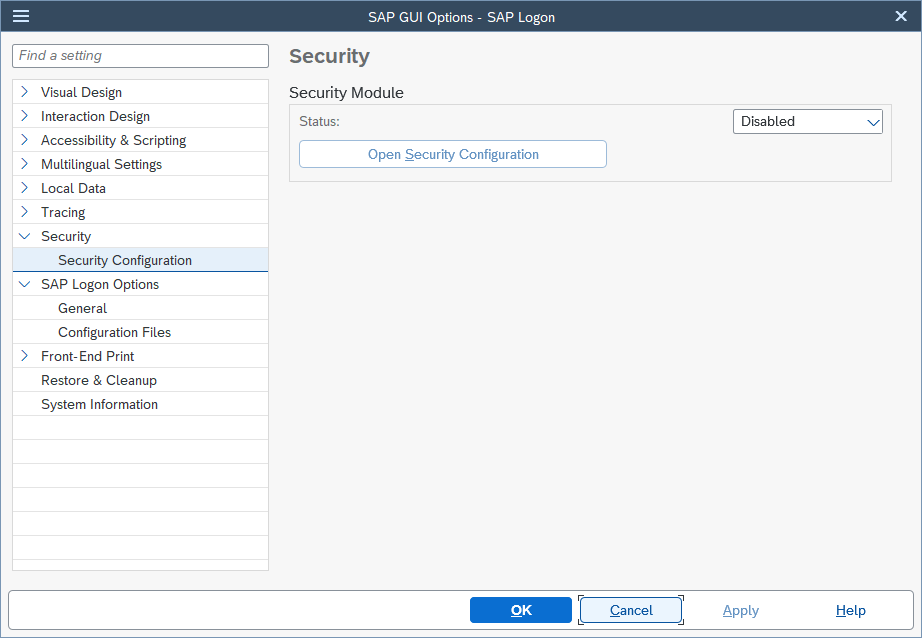
Open the SAP GUI Options, go to Security > Security Configuration and set the status to Disabled:
Windows Server
Component Services (D-COM Permissions)
Option 1: Change the service user account to a local administrator on the server running dab Nexus
Option 2: Assign permissions to D-COM Configuration SAP GUI Application, by following these steps:
-
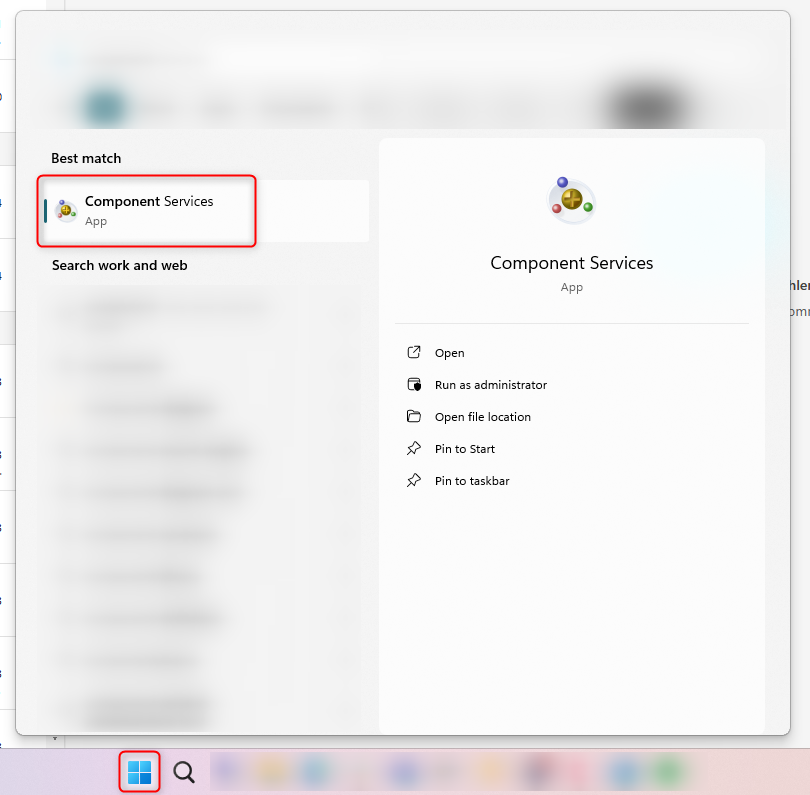
Open Component Services on the server:
-
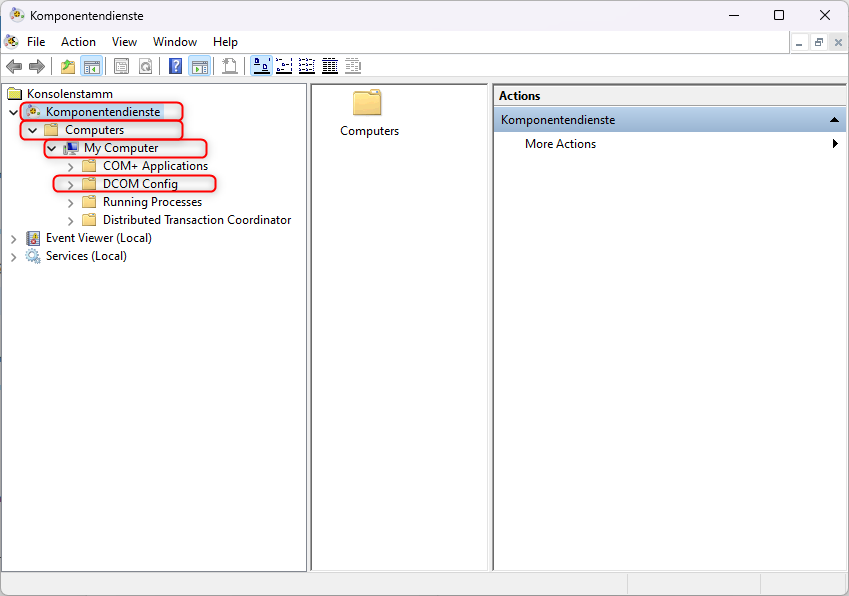
Navigate to Computers > My Computer > DCOM Config:
-
Search for SAPGUI Application, right-click and select Properties
-
Select the tab Security
a. Launch and Activate Permissions: select Customize and click on Edit...
b. Add your Service Account running the dab nexus service and tick Allow for all permissions
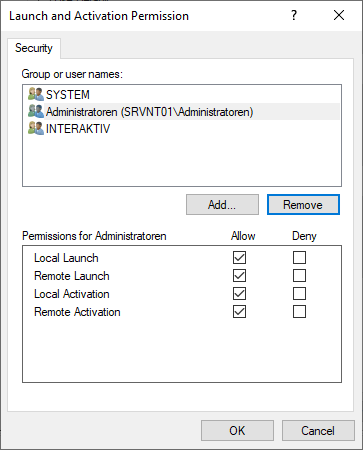
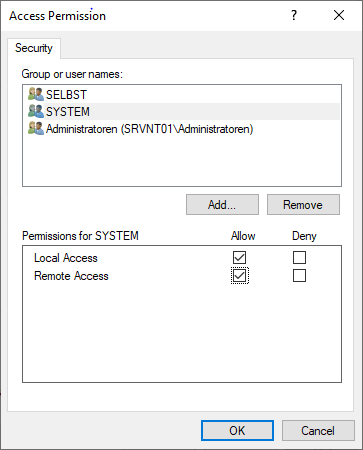
c. Access Permissions: select Customize and click on Edit...
d. Add your Service Account running the dab Nexus Service and tick Allow for all permissions